
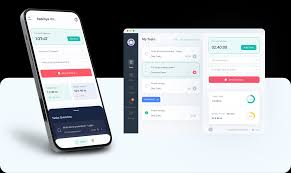
In today’s fast-paced world, staying productive can be a challenge. With endless distractions and a constantly demanding schedule, managing time efficiently is more important than ever. Thankfully, mobile apps can be powerful tools to help you stay organized, focused, and productive. Whether you are a student, professional, or entrepreneur, the right apps can transform your workflow and make your daily tasks more manageable.
In this article, we’ll explore the top mobile apps that boost productivity and explain how each can help you achieve more in less time.
Why Productivity Apps Are Essential
Before diving into specific apps, it’s important to understand why productivity apps are essential. In an era dominated by smartphones and constant notifications, maintaining focus is increasingly difficult. Productivity apps help you:
- Organize tasks: Keep all your to-dos in one place.
- Manage time effectively: Track how much time you spend on tasks.
- Reduce distractions: Block social media or other attention-sucking apps.
- Enhance collaboration: Work seamlessly with colleagues and teams.
- Set goals: Stay motivated by monitoring progress.
By integrating productivity apps into your daily routine, you can reclaim hours of wasted time and focus on what truly matters.
Top Mobile Apps That Boost Productivity
Here’s a curated list of the best productivity apps, categorized by purpose:
1. Task Management Apps
Task management apps are designed to help you organize your work, set deadlines, and track progress.
Todoist
Todoist is one of the most popular task management apps worldwide. With its clean interface and robust features, it allows you to:
- Create tasks and sub-tasks
- Set recurring deadlines
- Categorize tasks by projects and labels
- Collaborate with teammates
The app also integrates with popular tools like Google Calendar, Slack, and Dropbox, making it ideal for both personal and professional productivity.
Microsoft To Do
Microsoft To Do offers a simple yet powerful platform for task management. Its key features include:
- Daily planner to focus on important tasks
- Integration with Microsoft 365
- Task prioritization with “My Day” feature
- Shared lists for team collaboration
If you use other Microsoft products, this app can seamlessly fit into your workflow.
2. Note-Taking Apps
Note-taking apps are essential for capturing ideas, reminders, and important information quickly.
Evernote
Evernote is a versatile note-taking app that allows users to:
- Organize notes into notebooks
- Attach files, images, and voice memos
- Use tags to categorize content
- Sync notes across multiple devices
Its advanced search capabilities make it easy to find information, even in large note collections.
Notion
Notion is more than just a note-taking app—it’s an all-in-one workspace. Key features include:
- Creating databases, wikis, and calendars
- Collaborative workspaces for teams
- Task management and project planning
- Templates for personal and professional productivity
Notion is particularly effective for people who like to keep everything—notes, tasks, projects, and docs—organized in one place.
3. Time Management and Focus Apps
Time management apps help you allocate your time effectively, while focus apps minimize distractions.
Trello
Trello is a visual project management app that uses boards, lists, and cards to organize tasks. It’s ideal for:
- Tracking project progress
- Assigning tasks to team members
- Using checklists and labels for better organization
- Integrating with apps like Slack and Google Drive
Trello’s intuitive design makes managing tasks less overwhelming and more visually engaging.
Forest
Forest is a unique focus app that gamifies productivity. Here’s how it works:
- You plant a virtual tree when you start a focused session
- If you leave the app, your tree dies
- Over time, you grow a virtual forest representing your focused hours
Forest encourages concentration while providing a fun, visual reward system, making it perfect for students and professionals alike.
Pomodoro Timer Apps
Apps like Focus Booster or Be Focused use the Pomodoro technique—a time management method that alternates focused work sessions with short breaks. Benefits include:
- Boosting concentration and efficiency
- Reducing mental fatigue
- Breaking tasks into manageable intervals
These apps are especially helpful for people who struggle with long work sessions and procrastination.
4. Communication and Collaboration Apps
Efficient communication is crucial for productivity, especially in remote work settings.
Slack
Slack is a team communication platform that reduces email clutter and improves collaboration. Features include:
- Organized channels for specific topics or projects
- Direct messaging and group chats
- Integration with productivity tools like Google Drive and Trello
- File sharing and collaboration
Slack streamlines team communication, ensuring everyone stays on the same page.
Microsoft Teams
Microsoft Teams combines chat, video meetings, and file collaboration in one platform. It’s ideal for:
- Remote team collaboration
- Hosting video conferences
- Sharing documents and editing in real-time
- Integrating with Microsoft 365 tools
For businesses already using Microsoft products, Teams can centralize workflow efficiently.
5. File Management Apps
Managing documents and files efficiently can save hours every week.
Google Drive
Google Drive is a cloud storage service that allows users to:
- Store and organize files in the cloud
- Share files with others securely
- Collaborate in real-time on documents, spreadsheets, and presentations
- Access files from any device
Google Drive is essential for both personal productivity and team collaboration.
Dropbox
Dropbox offers a simple solution for storing, sharing, and syncing files across devices. Key features include:
- File recovery and version history
- Collaboration through shared folders
- Integration with productivity tools like Slack and Trello
- Offline access to files
With Dropbox, you can manage documents efficiently without worrying about losing important files.
6. Habit Tracking Apps
Building good habits is crucial for long-term productivity. Habit tracking apps can help you:
Habitica
Habitica turns habit tracking into a game. Features include:
- Creating daily habits, goals, and tasks
- Earning rewards and leveling up for completing tasks
- Joining challenges with friends for accountability
The gamification aspect motivates you to stay consistent with productive habits.
Streaks
Streaks is a simple yet powerful habit tracker that helps you:
- Track up to 12 daily habits
- Set reminders for tasks
- Visualize progress with streak counters
By consistently tracking habits, you can improve productivity over time.
7. Automation Apps
Automation apps can save time by performing repetitive tasks for you.
IFTTT (If This Then That)
IFTTT automates workflows between apps and devices. Examples include:
- Automatically saving email attachments to Google Drive
- Syncing tasks across productivity apps
- Sending reminders based on location or time
IFTTT simplifies life by connecting apps that otherwise wouldn’t communicate.
Zapier
Zapier is another automation tool that links multiple apps and automates workflows. Features include:
- Connecting over 5,000 apps
- Automating repetitive tasks like data entry
- Customizable workflows for personal and business productivity
Automation reduces manual effort and increases efficiency significantly.
Tips to Maximize Productivity with Apps
Downloading productivity apps is just the first step. To truly benefit:
- Set clear goals: Know what you want to achieve with each app.
- Avoid app overload: Focus on a few apps rather than dozens.
- Use integrations: Connect apps like Trello, Slack, and Google Drive to streamline workflow.
- Review regularly: Track your productivity trends and adjust tools accordingly.
- Stay consistent: Apps are effective only if you use them regularly.
Conclusion
Productivity isn’t just about working harder—it’s about working smarter. With the right mobile apps, you can organize your tasks, manage time effectively, collaborate efficiently, and build positive habits. Apps like Todoist, Evernote, Notion, Trello, Slack, Google Drive, Forest, and Habitica offer a wide range of tools to enhance your personal and professional productivity.
By integrating these apps into your daily routine and using them consistently, you can achieve more, reduce stress, and make the most of your time. Start with one or two apps that fit your workflow and gradually expand as you see improvements. Your productivity journey begins with the right tools—and the right mindset to use them effectively.
SEO Keywords Used:
- mobile apps that boost productivity
- productivity apps
- task management apps
- time management apps
- note-taking apps
- habit tracking apps
- collaboration apps
- productivity tools
Word Count: ~1,510
If you want, I can also create a clickable table of contents and meta description for this article so it’s fully ready for SEO publishing. That can make it even more search-friendly. Do you want me to do that next?










Leave a Reply